Dynamic Camera System to aid User Vision
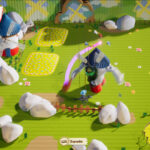
When I started working at Hidalgo in my first job as a Game Designer, one of my first challenges was to improve player navigation in the village at the beginning of the demo, improving the onboarding process while preserving its open and explorative nature. During playtests, several players unintentionally missed key interactive elements and struggled to identify the main objective, reaching the end of the village without having met Sancho who was required to later advance, which disrupted the level flow and narrative pacing.
Context

At the time, I wasn’t familiar with User Experience design, but I quickly realized this was not a level design issue alone. It was about understanding player expectations, motivations and how to guide their attention through the environment without breaking the sense of exploration.
At this stage of development, we were balancing the refinement of the existing demo while conceptualizing Chapter 2. At the same time, we were preparing a Kickstarter campaign, which meant that most artists and programmers were focused on marketing assets and vertical slice polishing. As a result, tasks requiring additional art or engineering support were deprioritized.
Additionally, the person responsible for the original flow had recently left the project without comprehensible documentation, leaving me to reverse-engineer the intent behind several design decisions.
While exploring potential solutions, I was eager to start working so I considered more radical changes such as restructuring the village layout or blocking optional paths to streamline navigation. However, these proposals were pushed back due to resource constraints and concerns about limiting player freedom.
Instead, I pivoted towards low-cost solutions using existing assets to subtly guide the player. For example, I reinforced the trail of apples as breadcrumb-like visual cues and made Sancho mandatory to obtain the key that would open the village door.
Key Insight
Playtesting showed clear improvement: players were now more likely to reach the plaza and encounter Sancho organically. However, unique and meaningful elements of the village, such as the pyre of books, were still hidden in plain sight and frequently overlooked. The core issue remained: the player’s attention was not being directed in a way that supported meaningful discovery.

Around that time, I watched a video about a Spanish organization called Golden Gamers, which brings video games into daycare centers. I originally watched it because I used to work alongside one of the owners, but something in the video caught my attention.
One of the main challenges they faced was camera control. Many elderly players struggled to manage both movement and camera at the same time. Their solution was to use a second controller handled by another person, who would adjust the camera based on what the elder seemed to be trying to do: focusing the view on what mattered and helping guide their actions.
That was my answer: the camera. We noticed that experienced players, mostly middle-aged people that have played games before, eventually got used to it; but children, one of our main player targets, really struggled with playing with two joysticks at the same time, just like the elderly players.
Instead of forcing the player through level design chokepoints, the camera itself could help frame the experience. By creating an environment where player intention was easier to anticipate, the camera could dynamically focus on elements we wanted the player to notice, without having to worry about player competence
Solution
The timing was ideal. During the conceptualization of Chapter 2, we had already identified the need for more flexible camera behaviour to support a puzzle sequence. To demonstrate the idea clearly, I proposed building a prototype for the creative directors. They agreed.
The next day, I came up with a working prototype in Unity of a dynamic camera system capable of shifting between different types of shots depending on the emotions we wanted to convey. By adjusting camera position and rotation, the system would naturally frame points of interest such as the main path or nearby collectibles.
The prototype was well received. Since the programming team was still focused on the Kickstarter campaign, I proposed implementing the system myself in Hidalgo’s Unreal project.
After adapting the existing camera framework and going through several iterations, I developed a first version of the system that covered Chapter 1. The results were very positive, and after addressing feedback from the team, the system was integrated into the main development branch.
What I learnt
As the system matured, it began influencing other areas of development.
In Level Design, we started considering camera behaviour when shaping spaces, allowing environment layout and camera framing to work together to guide the player’s attention. This made it easier for players to notice points of interest and environmental storytelling moments without relying on explicit markers or UI guidance.
The dolly camera proved particularly successful. The slight panning that followed player movement felt natural and satisfying, and it was later reinforced through level design. Long corridors with gentle curves were favored in areas where we wanted players to feel freedom and movement. Its automatic rotation was eventually integrated into the broader camera framework, helping smooth wide transitions and subtly hint at branching paths.
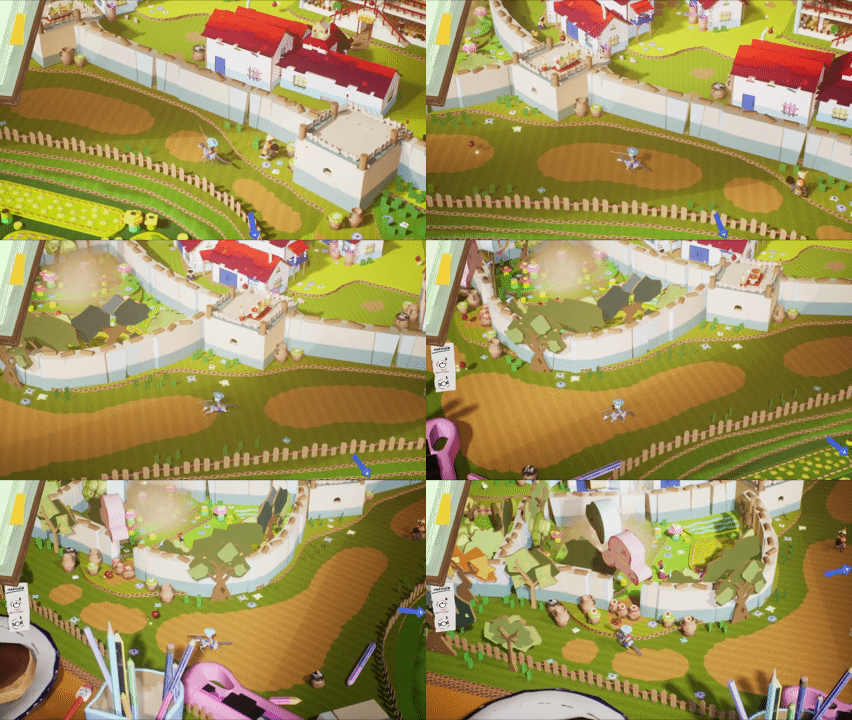
The fixed camera became essential for highlighting key structures and creating cinematic framing. It later inspired a more advanced behaviour that could follow multiple objects using a weighting system, allowing the camera to emphasize important elements while keeping the player in view.
By experimenting with Unreal’s camera parameters, we also introduced occasional lateral shots for short side-scrolling sections. Once the framework for switching camera behaviours was established, implementing new variations became significantly easier.
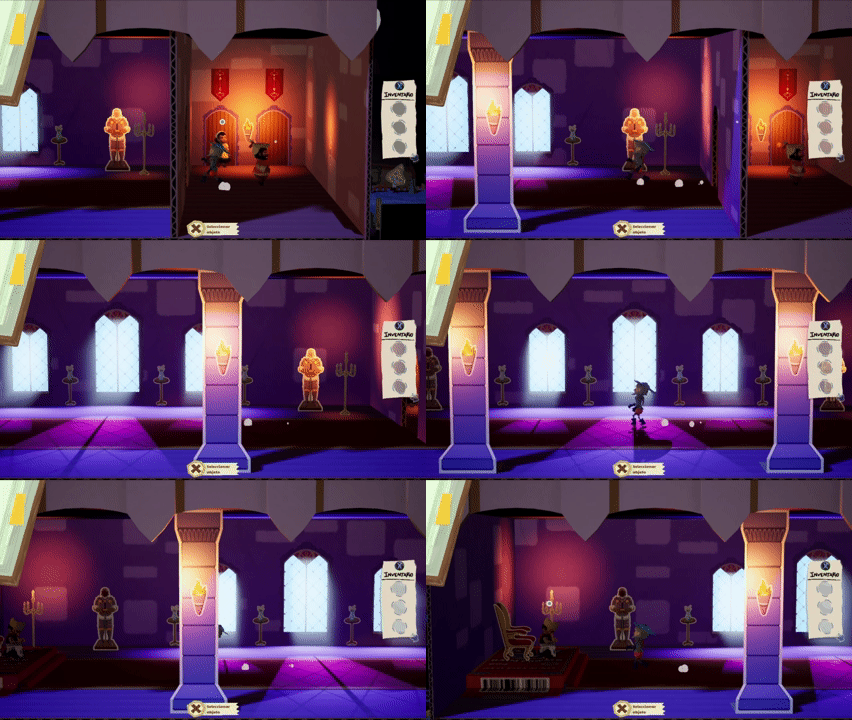
For the Concept Art team, this also improved the workflow significantly. Because camera behaviours were now defined early, artists could anticipate how spaces would actually be framed in-game and compose environments around those viewpoints. This allowed them to shape visual focal points from the earliest stages of production.
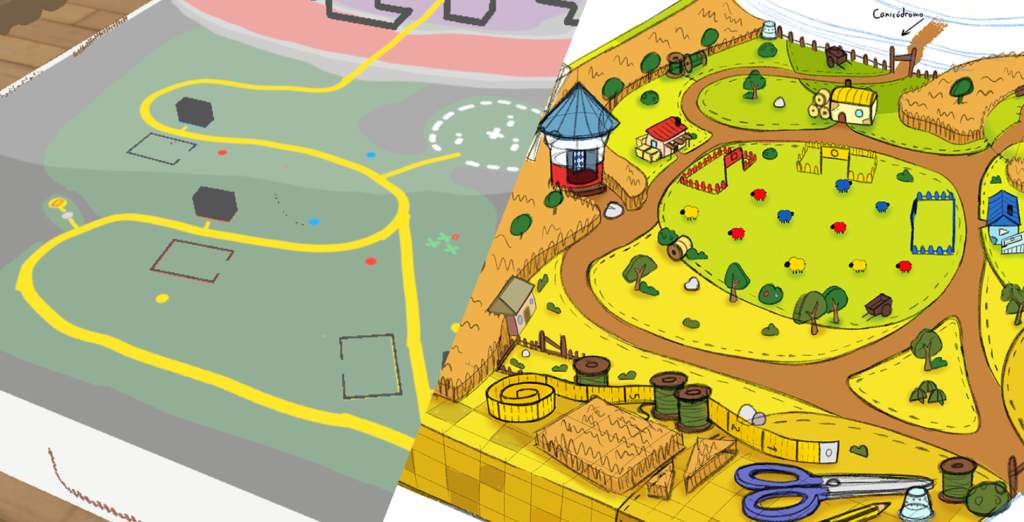
Other departments, such as programming and animation, also benefited from knowing where the player’s attention would likely be focused. This made it easier to highlight important elements, stage events more effectively, or keep technical tricks outside the player’s view.
What began as an issue discovered during playtesting eventually became a system that influenced multiple departments and provided a flexible framework for the project as it continued to grow.
More importantly, it marked the first time I consciously placed the player at the center of my design process. Instead of focusing only on systems or layouts, I began asking myself what players actually needed in order to experience the game the way we intended.
This experience shaped the way I approach design today. I learnt that, rather than immediately adding guiding UI, maps, or redesigning entire spaces, taking a step back and understanding how players perceive and navigate an experience can often reveal the best solutions.
Summary
- Problem: Players often missed important characters and locations in the village. Exploration existed, but player attention was not being guided
- Key Insight: Camera framing can guide player attention without limiting exploration
- Solution: I built a working prototype in Unity and implemented a flexible framework that gave control to the designers over camera behaviour and framing
- Design Principles I Took From This:
- Camera framing can be used as a UX tool
- Systems that guide perception are often more elegant than explicit UI guidance
- Quick prototyping helps validate and give strength to proposals
- Key Takeaways:
- Player attention can be guided without restricting exploration
- Camera framing can function as a systemic UX tool
- UX helps in every step in the development process if you take it into account from the beginning
- Observing real player behaviour reveals problems that design assumptions miss